
Overview of Integration
We have partnered with Fountain to deliver the Connect (ATSi Apply) solution, enabling jobseekers to apply seamlessly for roles advertised on Stepstone Group job boards. All applications are transmitted directly to Fountain, with the application source clearly identified.
How does this work?
Connect is a free to use technology that creates a seamless integration between our Stepstone Group job boards and Fountain. Once integrated, applicant data and CVs are automatically transferred into your Fountain system.
This integration streamlines the application process by eliminating the need for candidates to re-enter their information on an external application form. Screening questions and additional requirements are pulled directly from the Fountain careers site and presented to candidates as part of the application process on our platform.
As a result, application completion rates increase significantly, while candidate drop-off throughout the application journey is greatly reduced.
What are the capabilities?
Unfortunately, we cannot support this integration if you are using dependent/conditional questions within your apply flow.
Please speak to your Stepstone representative if you’d like to discuss this more.
Requirements
To activate Connect, clients are required to provide the following information:
- The API URL
- Private API Key value or Client ID and Secret
- Credentials for the selected authorisation method
- Confirm webhook has been configured in Fountain
- Privacy policy
Please send the above information to one of the following contacts, depending on your job board:
| Country | Job Board | Contact Email Address |
| Continental Europe | Stepstone DE | connect@stepstone.com |
| UK | Totaljobs / Caterer / Jobsite | connectuk@thestepstonegroup.com |
| Ireland | Irishjobs, Jobs.ie, NIJobs | connectuk@thestepstonegroup.com |
Once we have received the above information, we will proceed with testing.
Steps to integrate and enable
Step 1: Obtaining the API URL
Please provide the following information (request assistance from Fountain if needed):
The API URL (it depends on your region), e.g.
https://eu-1.fountain.com/api/v2/…
https://services.fountain.com/api/servicehire/v2/…
Step 2: Obtaining the Authorisation Method
This is either a private API key or a client ID and client secret.
Please note that the trusted API key does not work for us, as it only allows creating new candidates and does not permit retrieving any information, including job details and questions.
Please also provide the credentials for the selected authorisation method. If this is a private API key, please see steps below:
1. Log into your Fountain portal
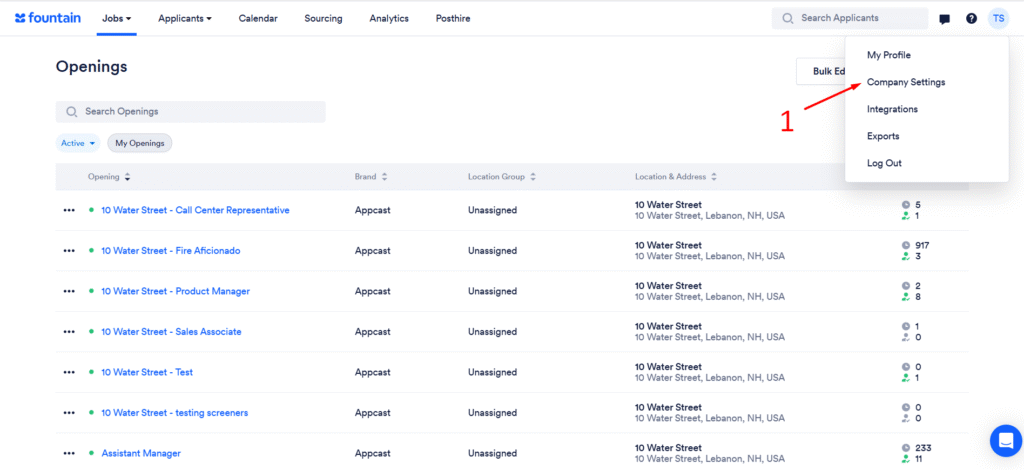
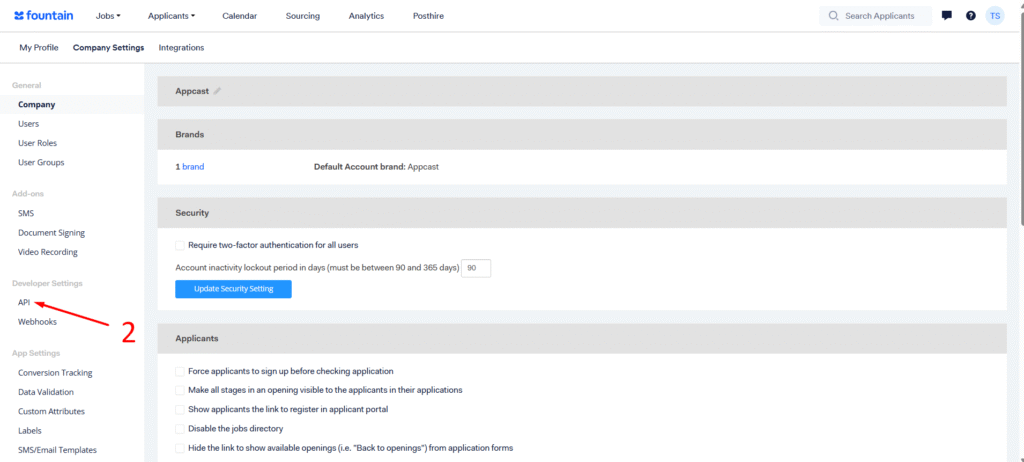
2. Go to Company Settings (1) → API (2) → Show API Keys (3)
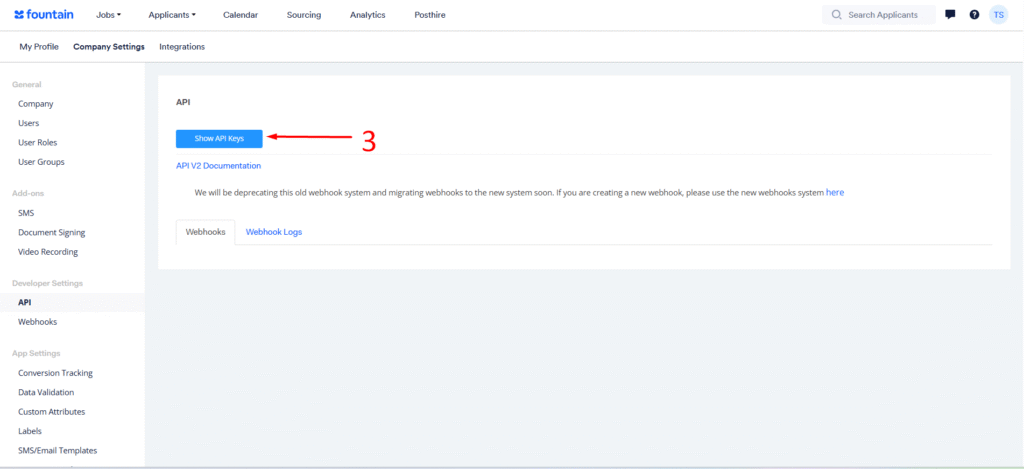
3. Save the key value to pass to your Stepstone point of contact
4. If there is no key, please generate a new token
Step 2: Configuring Webhook
You will be given a webhook link from Stepstone
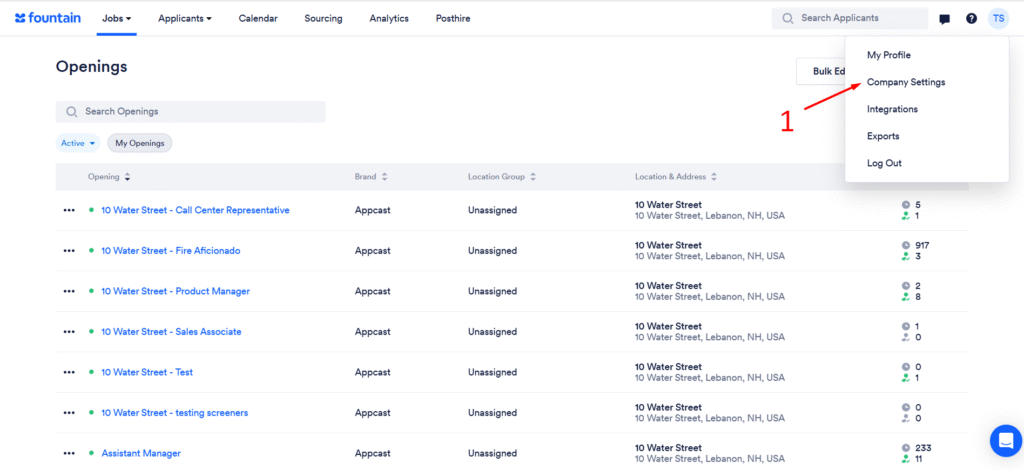
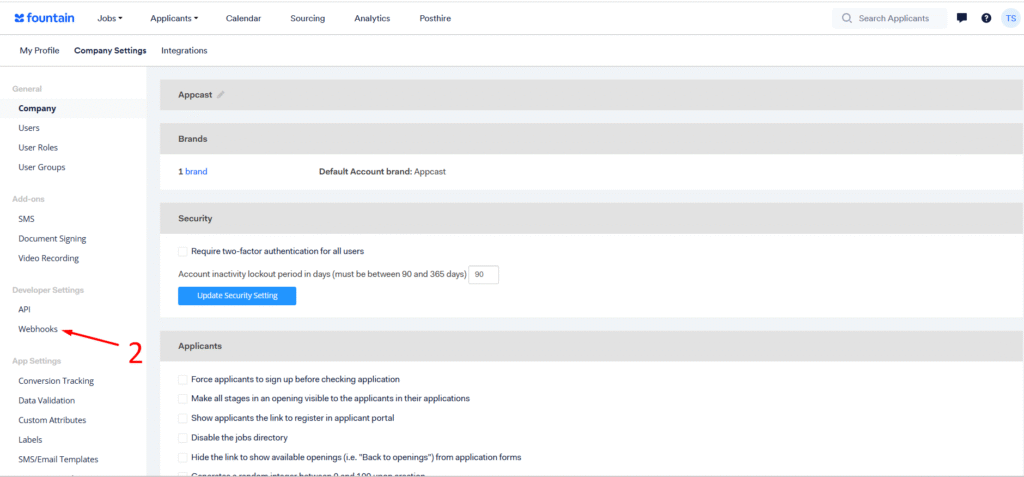
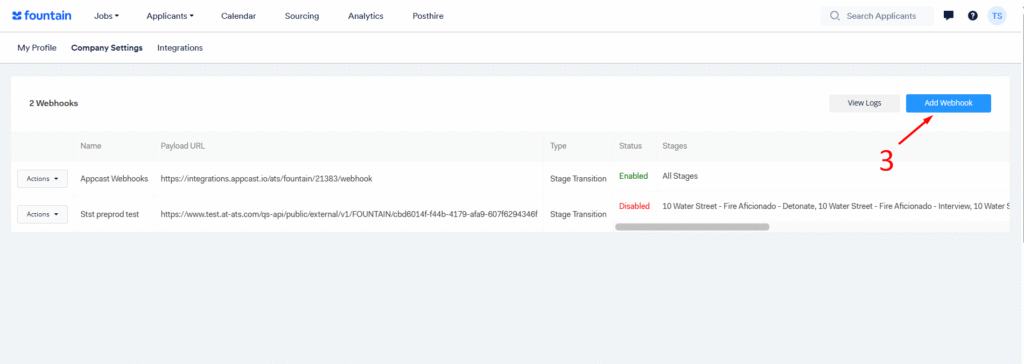
Go to Company Settings (1) → Webhooks (2) → Add Webhook (3)
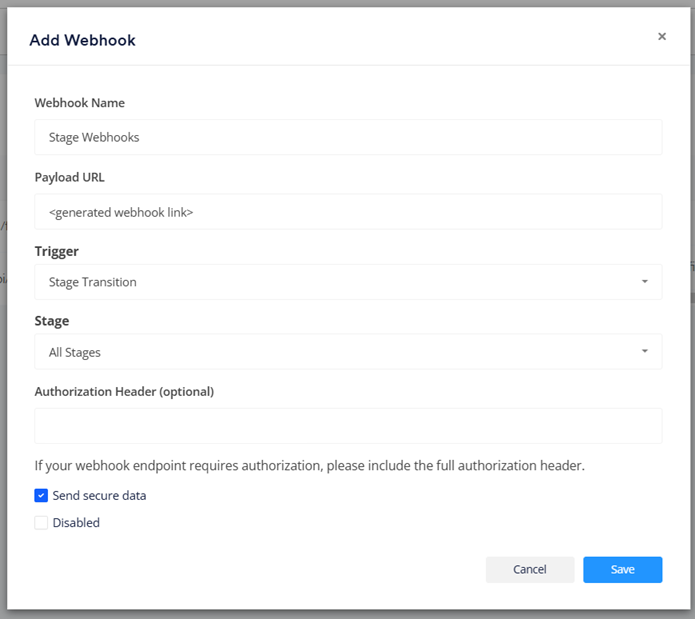
Then fill in the fields:
| Webhook Name | <name> |
| Payload URL | <generated webhook link> |
| Trigger | State transition |
| Stage | All stages |
| Send secure data | selected |
Step 3: Privacy Policy
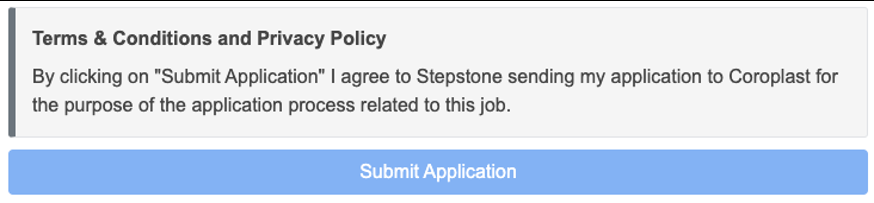
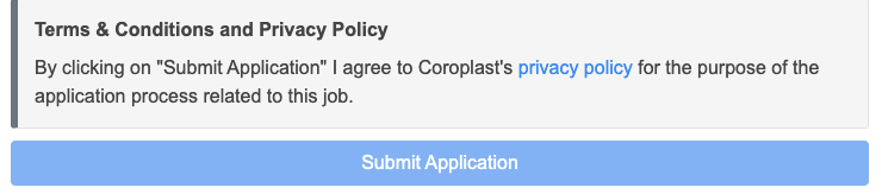
Stepstone Connect can display a clickable link to candidates to allow them to view the Privacy Policy before they submit their application. This will also make them aware that by applying for this job they consent to the displayed policy.
To enable this, we require the following:
- URL to your Privacy Policy or Terms & Conditions.
- Company name to display beside your Privacy Policy or Terms & Conditions.
If you do not share a Privacy Policy URL, we will show a generic message to all candidates instead.
Please keep this information to hand to send with the other required information.